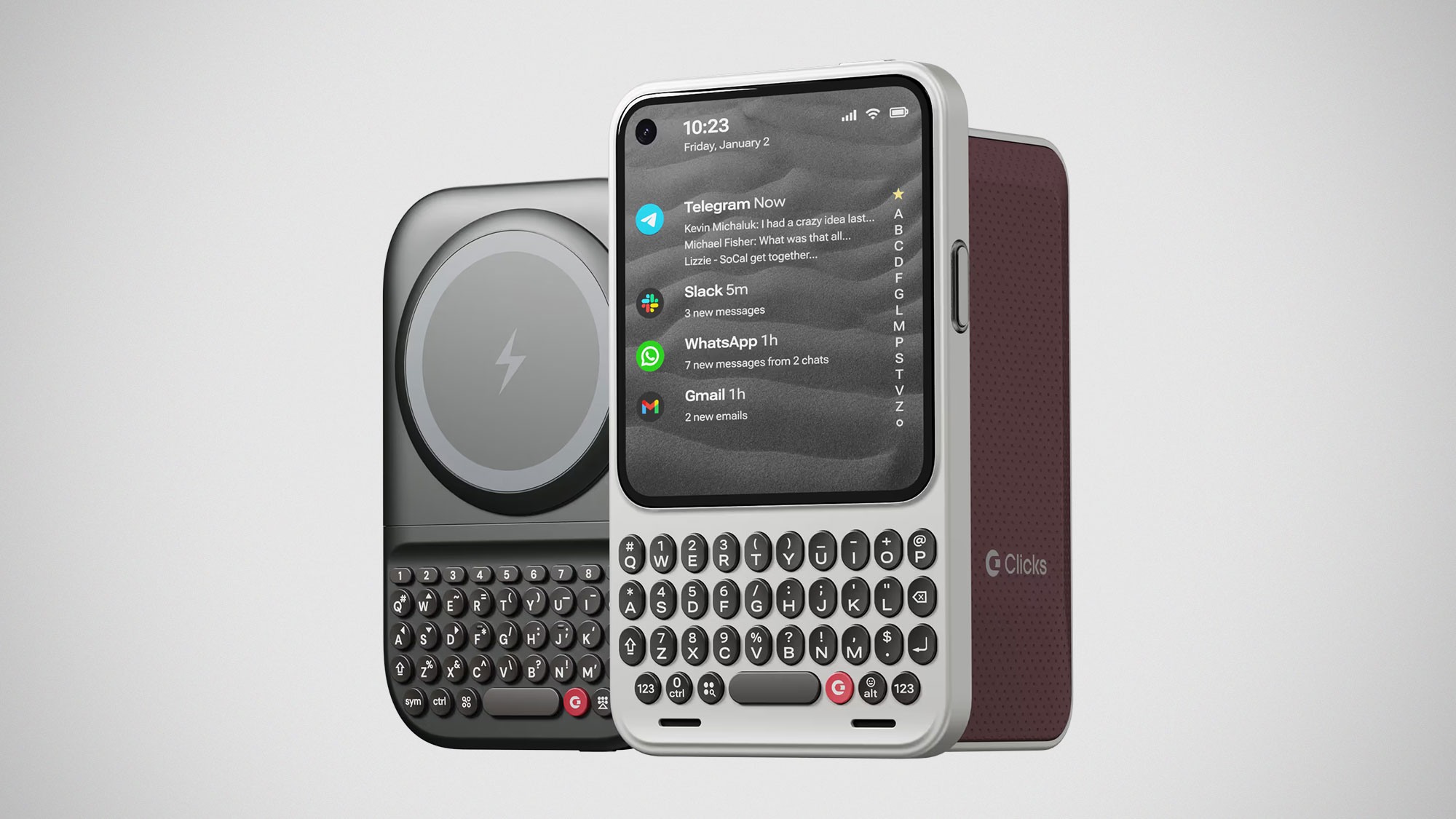
Remember how BlackBerry was made obsolete by touchscreen smartphones? Well, while touchscreen phones did take over, there has always been a group of people quietly missing physical keyboards. At least, that’s what Clicks Technology believes. And to be fair, they would know. They are the folks who made their name selling keyboard cases, and they are still doing exactly that today. So yes, apparently some of us really do miss typing on actual buttons.
Anyhoo, Clicks Technology isn’t just pushing keyboard adoption for smartphones; it has bigger ambitions. It has gone one step further. A very bold step, actually. The company has introduced a BlackBerry-style phone. Yes. An actual phone with a keyboard. Alongside it is a new standalone keyboard for smartphones called the Power Keyboard. Together with the phone, called Communicator, Clicks is positioning these products as tools for actual communication and taking action, rather than endless doomscrolling and distraction.
You know how it is. It happens to the best of us. We just wanted to check Telegram for that one message, and suddenly we are ten minutes deep into a thread we never meant to read. Wait. Is it just me? No. It can’t be.
Clicks is clearly done with predictable product launches and feature bingo. Instead of starting with buzzwords, the company jumped straight to intent. The idea is simple. People want to do more with their devices, not stare at them longer. That thinking gave birth to two products that feel oddly rebellious in 2026: a universal keyboard that sticks to your phone, and a phone that unapologetically brings buttons back.
Power Keyboard
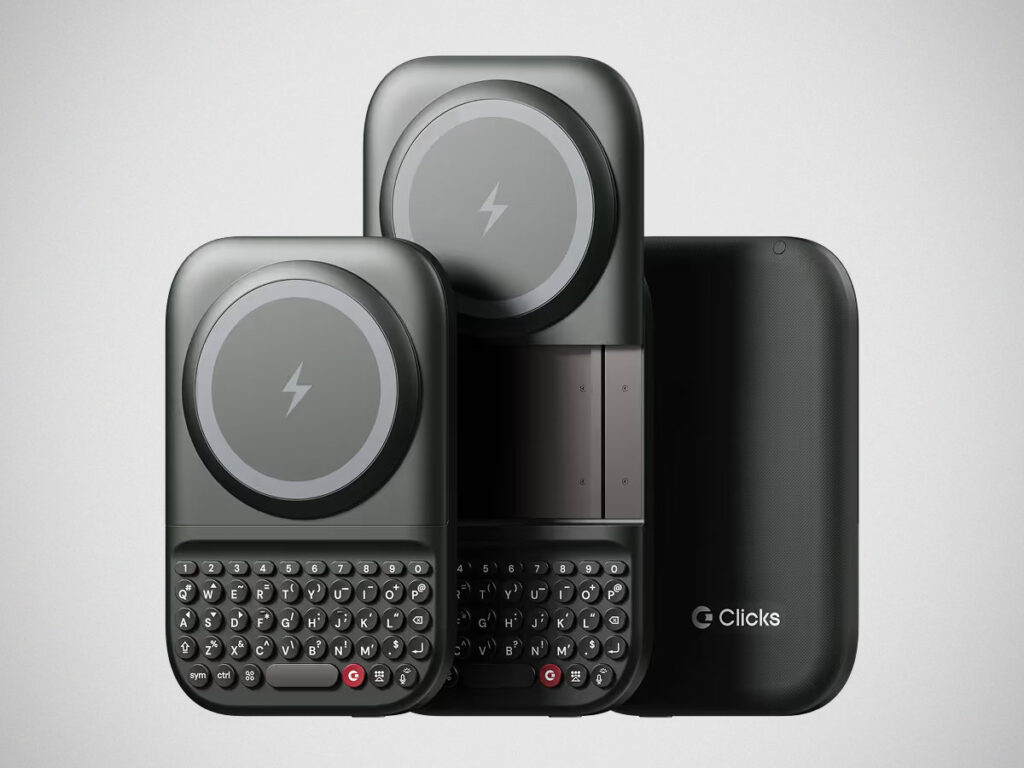
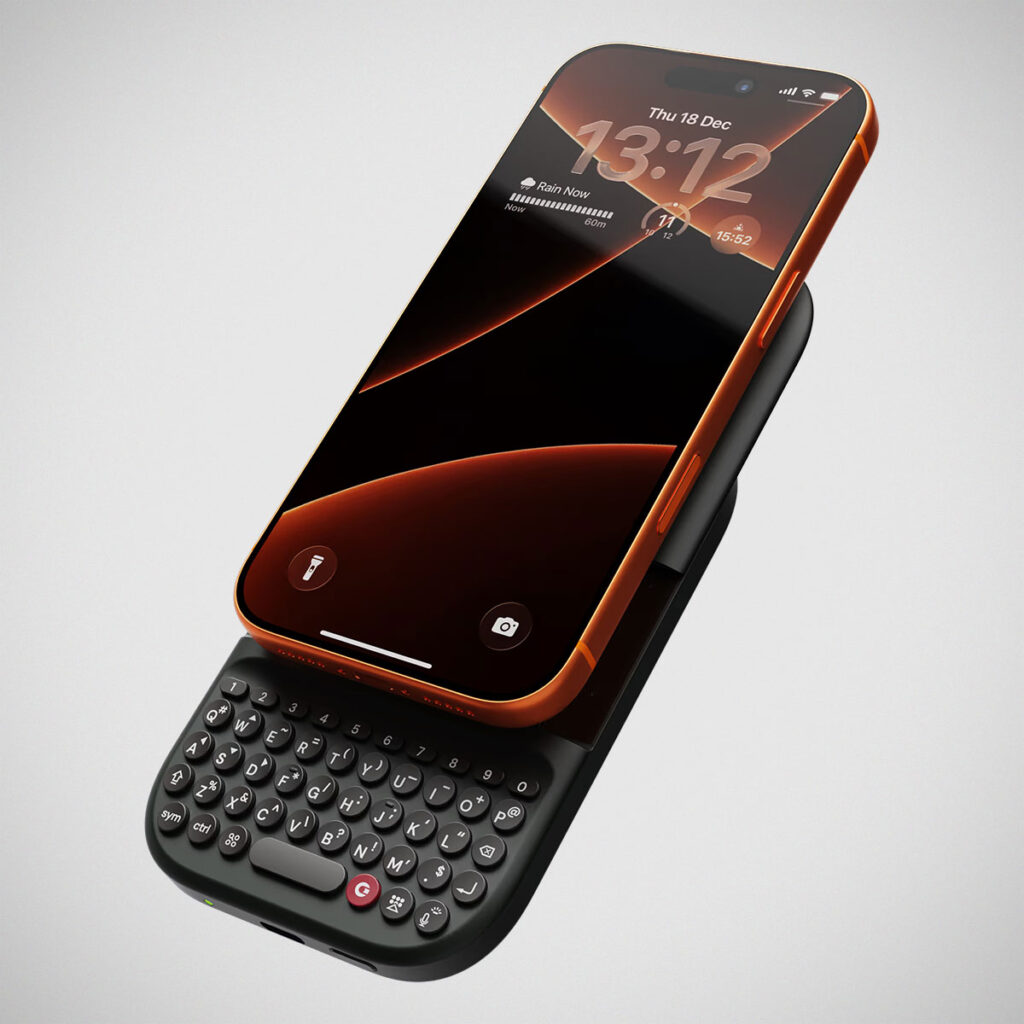
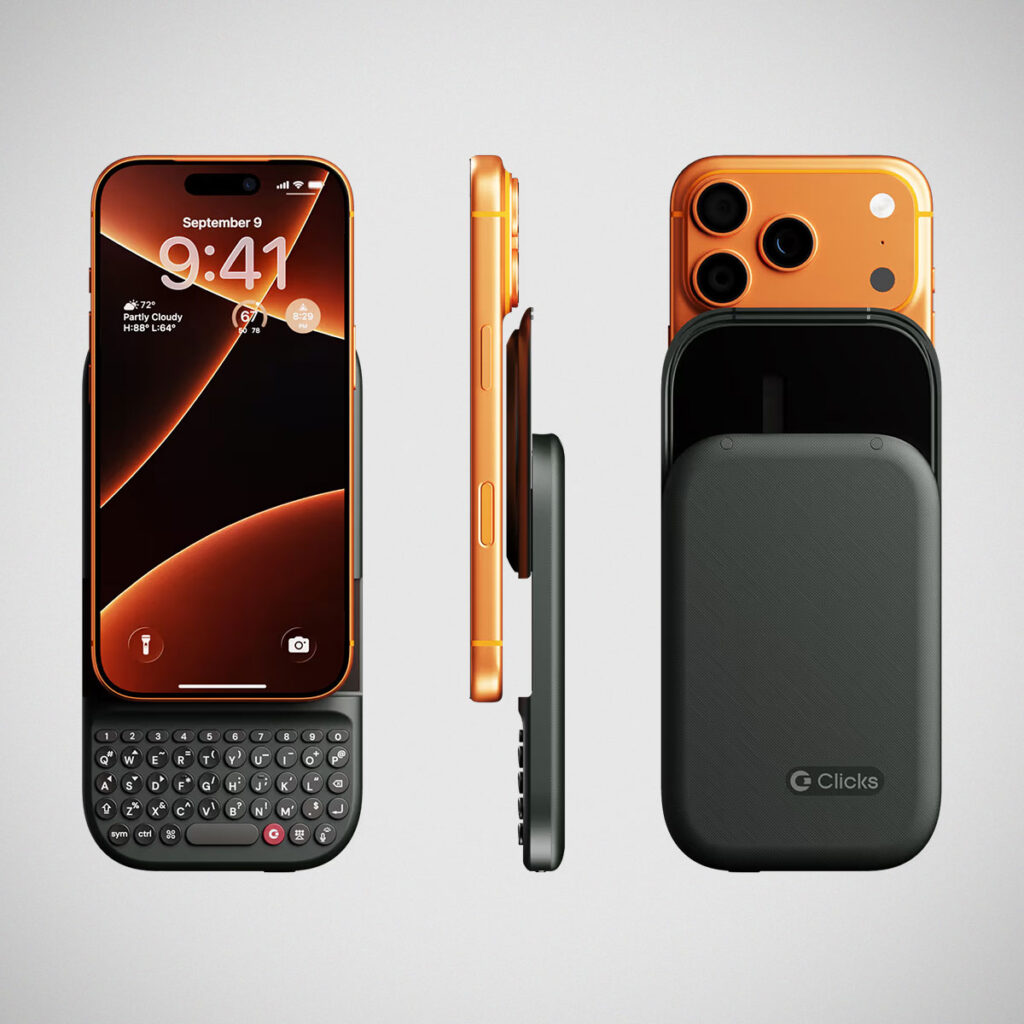
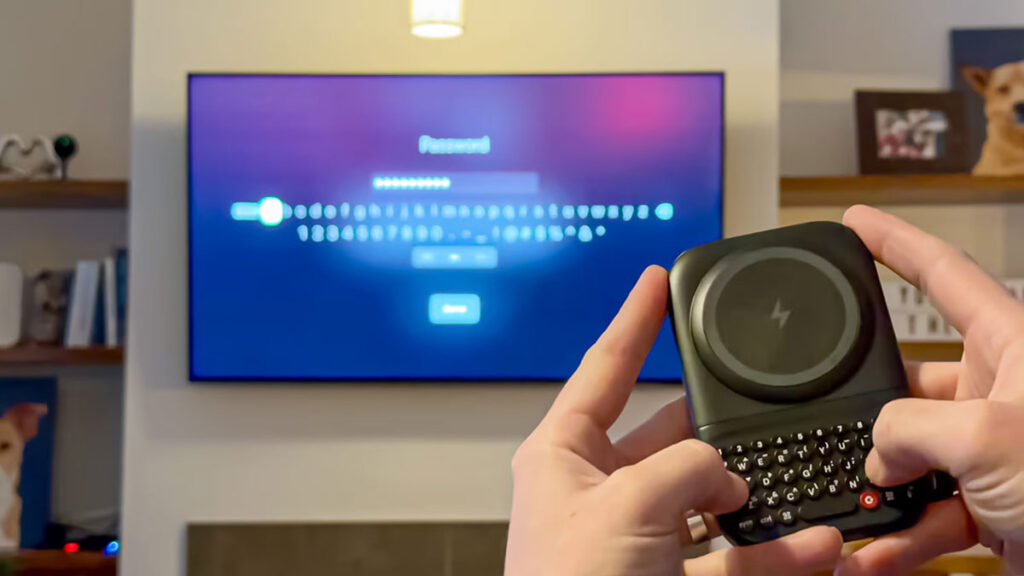
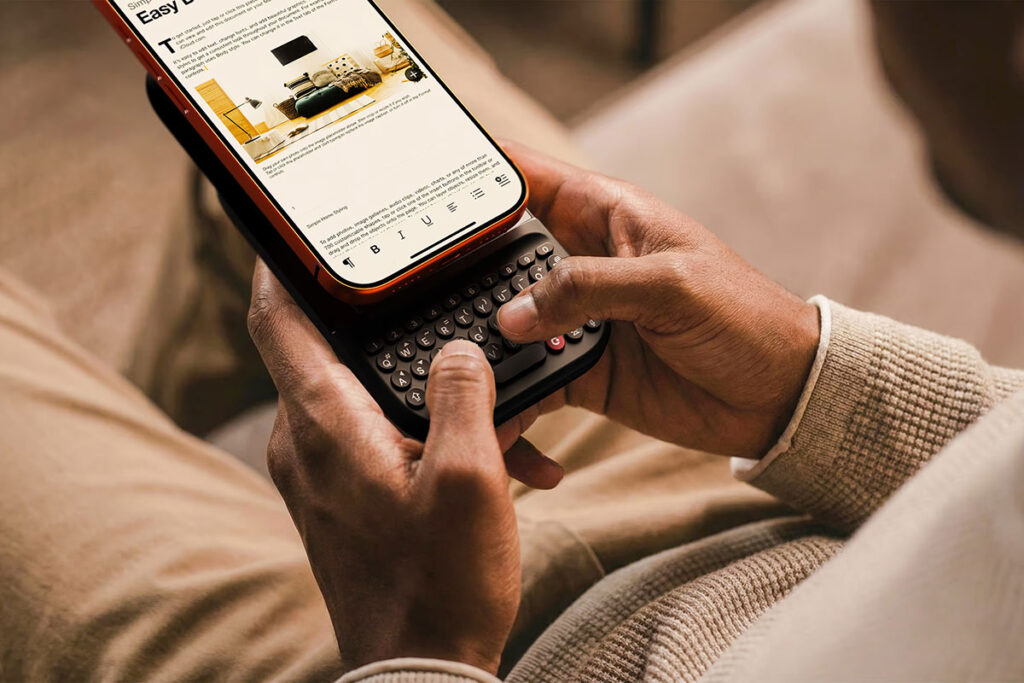
Let’s start with the Clicks Power Keyboard. This is not a case. It is not phone-specific. Think of it as a magnetic keyboard and power bank that snaps onto the back of your phone and slides out when you want to type. Once attached, the on-screen keyboard disappears, giving you back your display real estate. It connects over Bluetooth, which immediately makes it a universal keyboard for phones, tablets, TVs, and pretty much anything that accepts Bluetooth input.
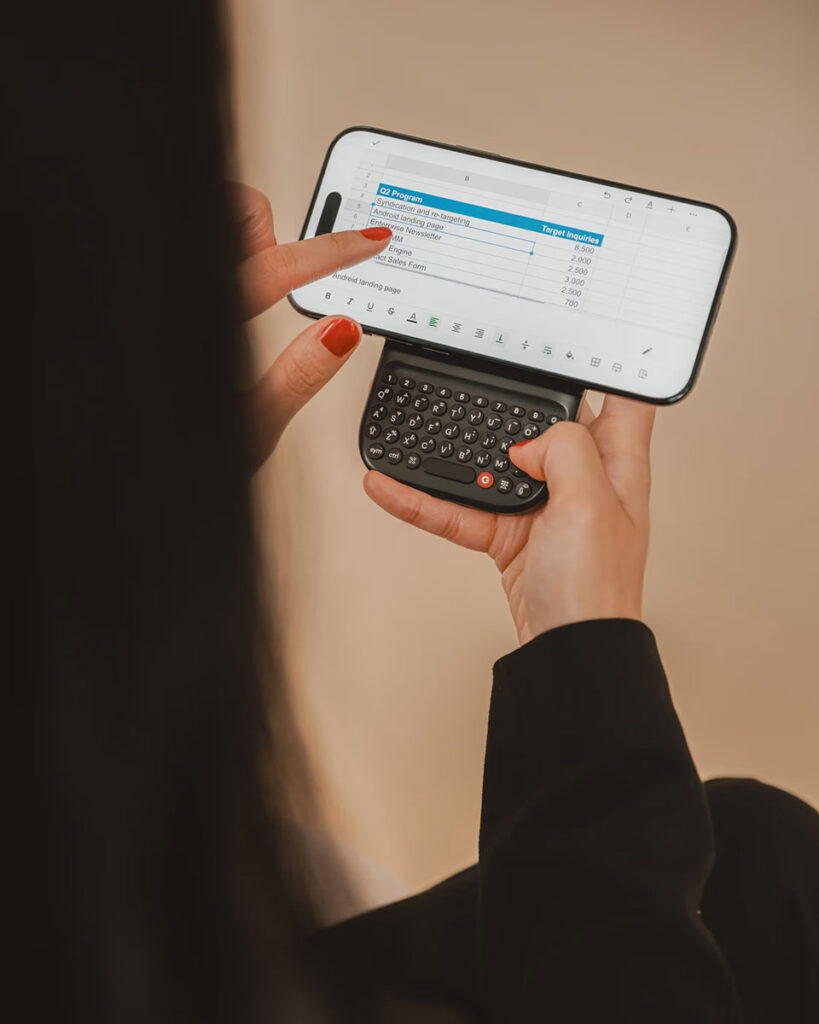
The sliding mechanism supports multiple positions, including landscape mode, which Clicks affectionately refers to as “batwing” mode. This is where spreadsheets, documents, and long emails suddenly make sense on a phone. Dedicated number keys and extra symbols are built in, catering to power users who are tired of long-pressing virtual keys. There is also an onboard battery that powers the keyboard itself and gives your phone a quick top-up, hence the name Power Keyboard.
The versatility is the real selling point. Pair it with an Apple TV, and typing passwords no longer feels like a test of patience. Use it with a tablet at a coffee shop, and suddenly you have a pocketable work setup. Even AR and VR get a mention here, since tactile input has always been awkward in those spaces. Power Keyboard solves that without asking you to carry a full-size keyboard in your bag. It works with both Apple and Android devices, supports multiple Bluetooth profiles, and lets you switch between them using keyboard shortcuts. Importantly, it works alongside cases you already own.
Communicator
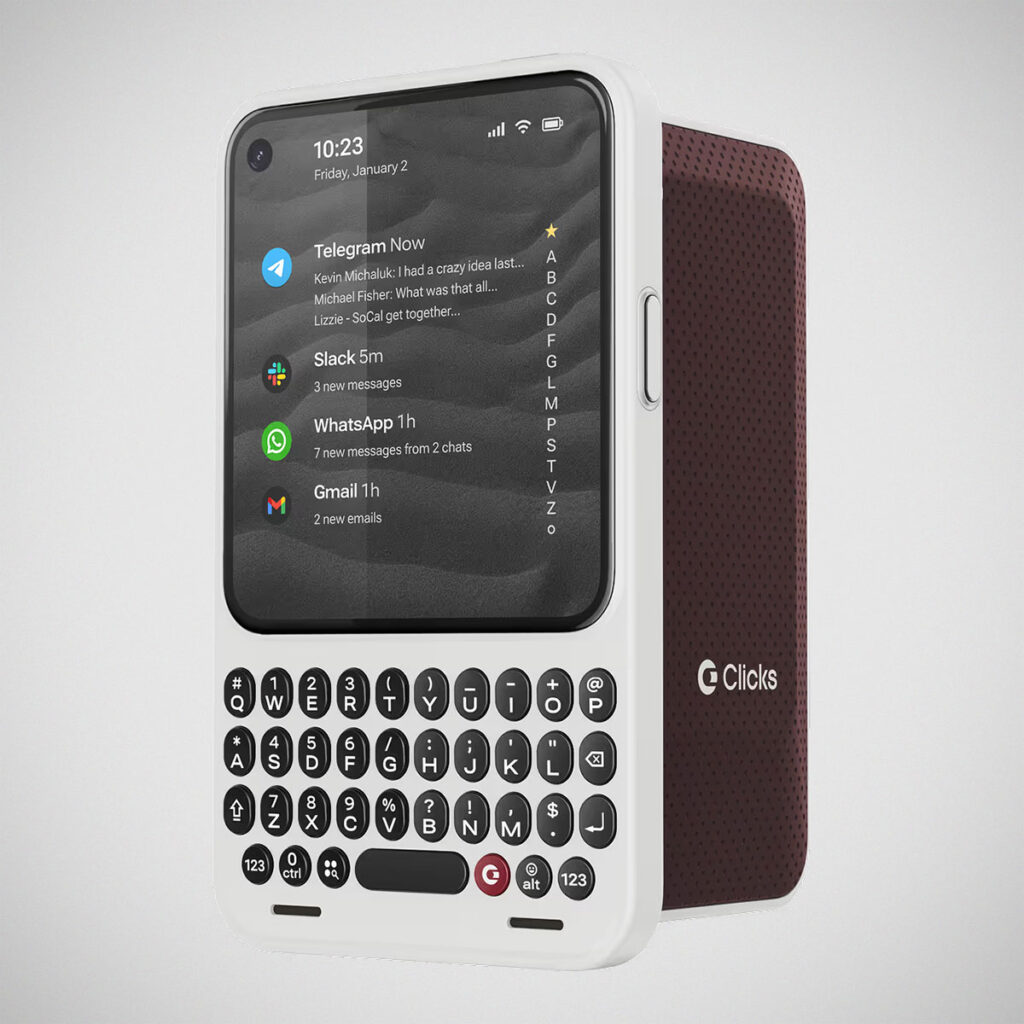
Then there is the bigger swing. The one that made everyone sit up. Clicks Communicator.
This is Clicks going all in. Communicator is a modern, purpose-built communication phone designed to live alongside your main smartphone, not replace it outright. The idea is similar to how people use a Kindle alongside an iPad, or more correctly, it is the Light Phone, but with the keyboard that some of us missed so damn much. Basically, one device is great for consumption. The other is better at focus.
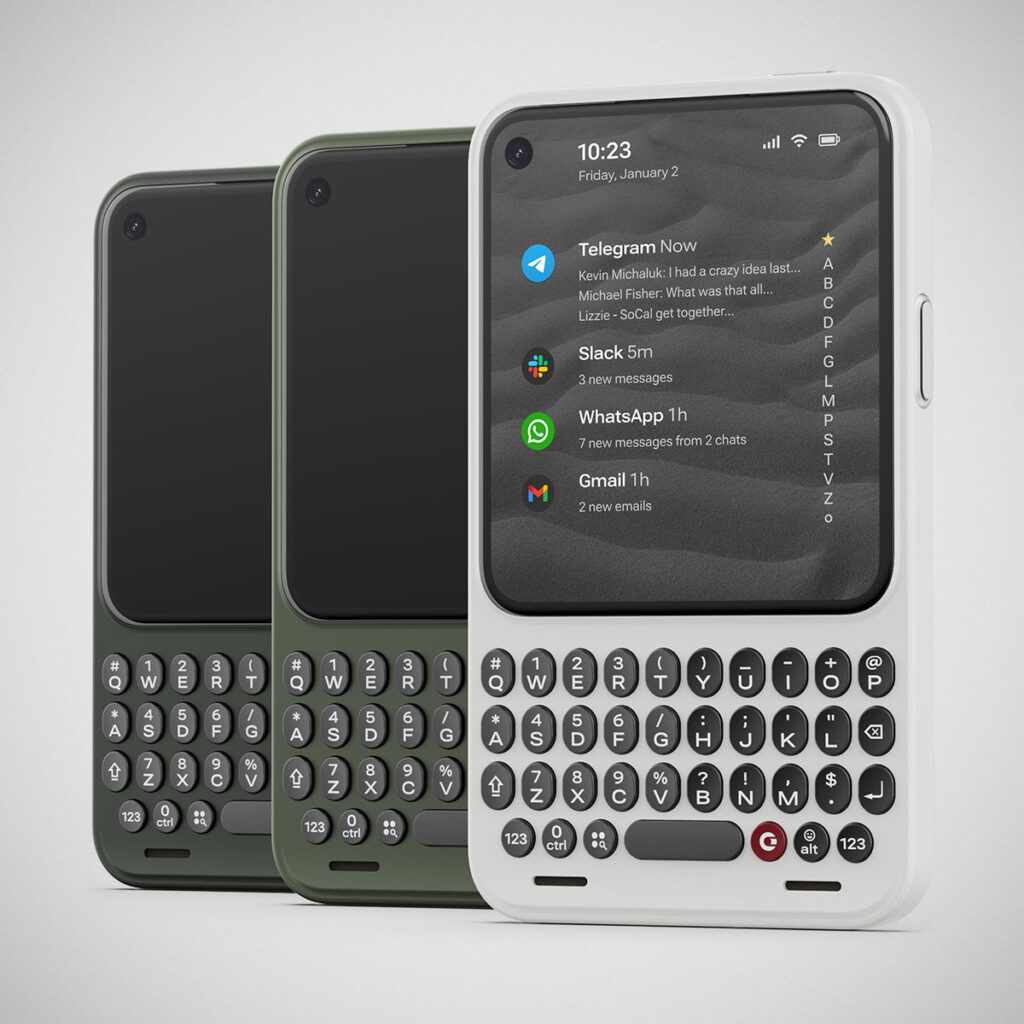
Communicator is compact, pocketable, and immediately familiar in silhouette. Yes, it looks like a Blackberry. That is not an accident. Clicks worked with Joseph Hofer, the industrial designer behind some of the most iconic Blackberry devices, to modernize a form factor that once defined mobile productivity. The result is a phone that feels deliberate in every decision, from the thickness to the placement of the keys under your thumbs.
The hardware is built around three pillars: context, input, and control.
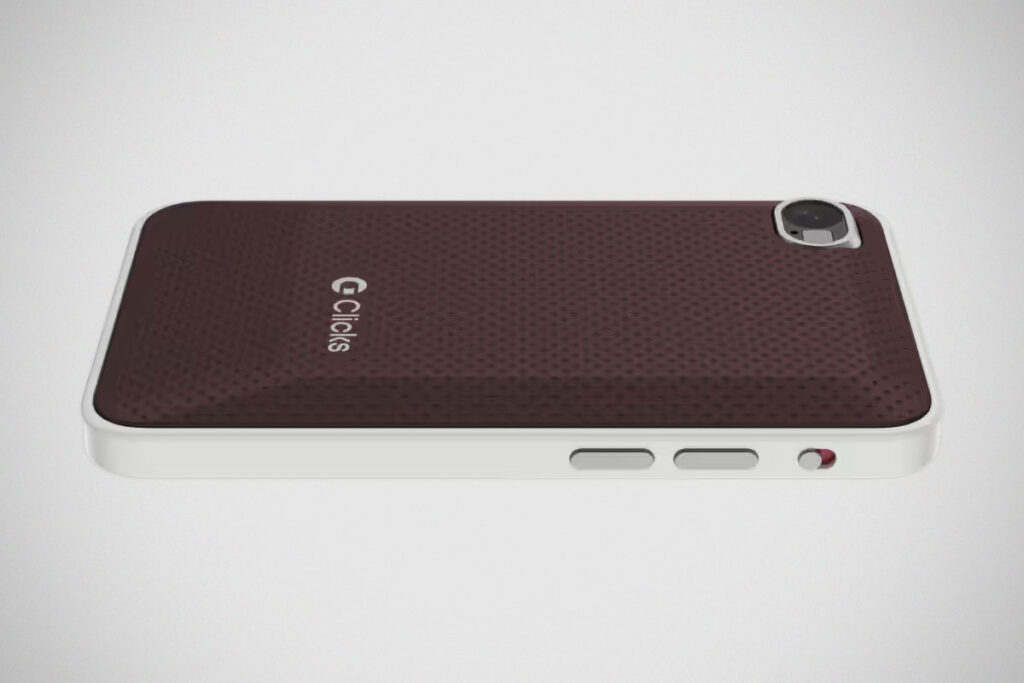
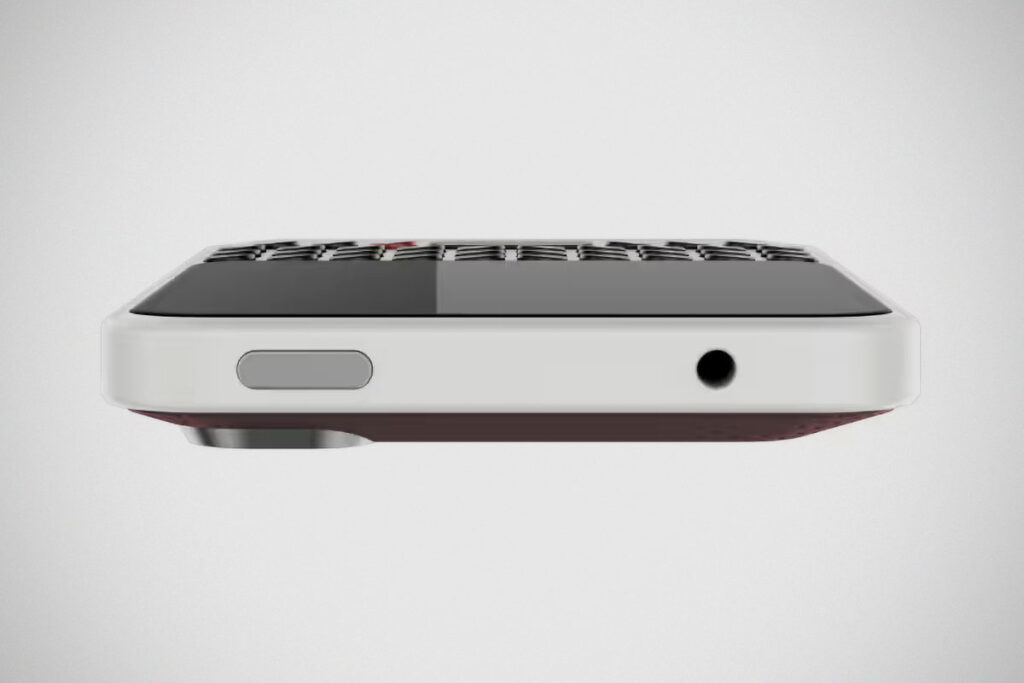
Context starts with a signal light built into the side key. Whether the phone is face up or face down, you can tell when something needs your attention. The color tells you what or who it is, and you can configure it based on VIP contacts or specific apps. When you want silence, there is a physical kill switch that shuts it all down. No digging through menus required.
Unlock the phone, and you do not land on a grid of apps. Instead, you arrive at a curated message hub. Clicks partnered with the team behind Niagara Launcher (the Launcher that I swear by for my Android phone since 2019!) to create a custom Android experience that surfaces messages across apps in one place. The goal is to separate signal from noise, triage quickly, and move on. The app list is still there, but it does not try to pull you in.
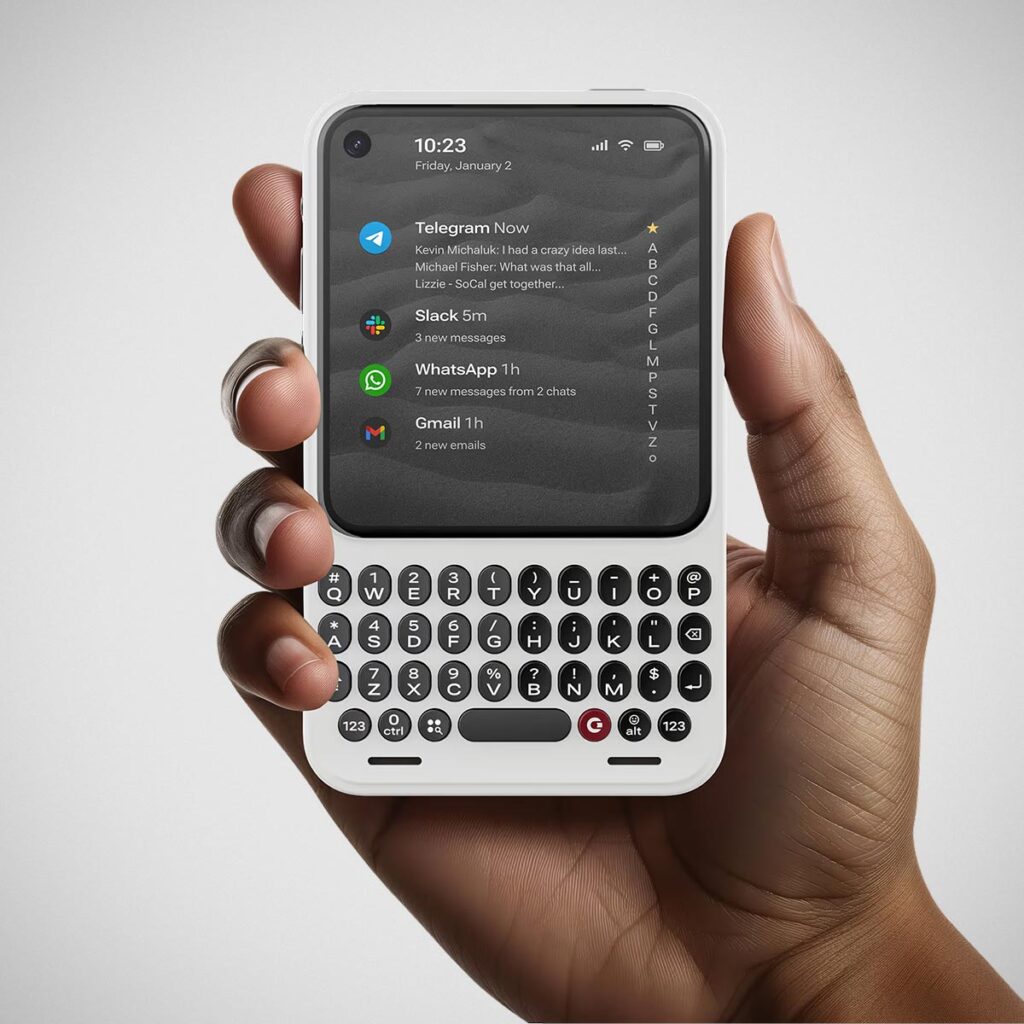
Input is where Communicator leans heavily into its keyboard. The keys are over 30 percent larger than those on Clicks’ keyboard cases and larger than some classic BlackBerrys. They are tactile, carefully sculpted, and even touch-sensitive. You can scroll through messages and web pages by gliding your finger across the keys, keeping the screen unobstructed. It sounds small, but it saves seconds constantly, and that adds up.
Typing is not the only input method. Holding the prompt key activates speech-to-text. Release it, and the message sends immediately. The same key can be configured to record voice notes or interact with virtual assistants. Clicks is positioning this as a platform, with plans to partner with note-taking apps, voice recorders, and AI agents down the line.
Control shows up in places many manufacturers abandoned years ago. Communicator supports programmable shortcuts tied directly to hardware keys. It is Android Strongbox-ready, allowing apps to store and encrypt sensitive data securely. There is expandable storage via a microSD card. There is also a 3.5 mm headphone jack. Yes, an actual one. Interchangeable covers in different colors and materials add personality and help the device visually complement your main phone, whether that is an iPhone, Pixel, or Galaxy.
Clicks is not shy about its stance. These products are designed for people who want to act, not scroll. Writers, authors, professionals, members of the low-vision community, and anyone who values intentional communication all came up during the presentation. This is not nostalgia for nostalgia’s sake. It is purpose-built hardware in a category that has become very comfortable repeating itself.
The Clicks ecosystem now looks complete. The keyboard case brings buttons to the phone you already own. Power Keyboard turns any device into a typing machine. Communicator becomes the ultimate companion for communication in a noisy world.
Price and Availability
The Clicks Power Keyboard normally retails for US$109, but it is currently available for pre-order at a special price of US$79, with shipping expected to begin in Spring. The Clicks Communicator will officially launch later this year at US$499. Early adopters can reserve one now for US$399, either by paying in full or placing a US$199 reservation deposit.
Images: Clicks Technology.